
Toutes les requêtes de l'API NueForm nécessitent une authentification via des clés API. Ce guide explique comment générer des clés, les utiliser dans les requêtes et les garder sécurisées.
API access is available on the Pro plan and above. If you are on the Entrepreneur (free) plan, you will need to upgrade before you can generate API keys or make API requests.
Générer des clés API
Pour créer une clé API :
- Sign in to your NueForm account.
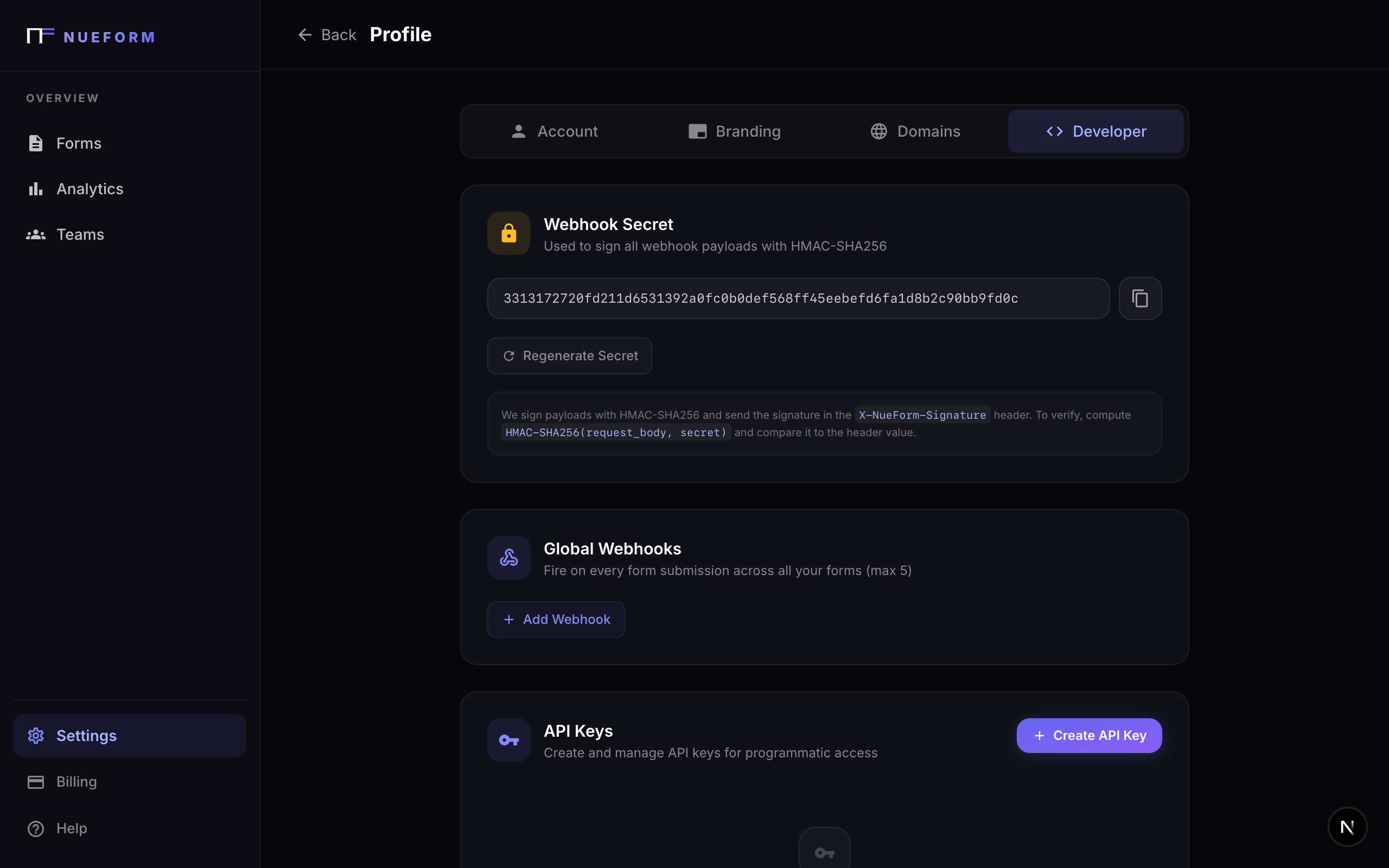
- Navigate to Profile and open the Developer tab.
- Click Create API Key.
- Give your key a descriptive name (e.g., "Production Backend" or "CI Pipeline").
- Copy the key immediately --- it will only be displayed once.
Your full API key is shown only at the time of creation. NueForm stores a hashed version internally and cannot retrieve the original key. If you lose it, revoke the key and create a new one.
Format des clés API
NueForm API keys follow a consistent format:
nf_<64 hex characters>
Every key begins with the prefix nf_ followed by 64 hexadecimal characters (32 random bytes). For example:
nf_a1b2c3d4e5f6a1b2c3d4e5f6a1b2c3d4e5f6a1b2c3d4e5f6a1b2c3d4e5f6a1b2
In the dashboard, keys are identified by their prefix (the first 11 characters, e.g., nf_a1b2c3d4) so you can tell them apart without exposing the full value.
Utiliser votre clé API
Include your API key in the Authorization header of every request using the Bearer scheme:
Authorization: Bearer nf_your_api_key_here
cURL
curl -X GET https://app.nueform.io/api/v1/forms \
  -H "Authorization: Bearer nf_a1b2c3d4e5f6a1b2c3d4e5f6a1b2c3d4e5f6a1b2c3d4e5f6a1b2c3d4e5f6a1b2" \
  -H "Content-Type: application/json"
JavaScript (fetch)
const NUEFORM_API_KEY = process.env.NUEFORM_API_KEY;

const response = await fetch("https://app.nueform.io/api/v1/forms", {
  method: "GET",
  headers: {
    "Authorization": `Bearer ${NUEFORM_API_KEY}`,
    "Content-Type": "application/json",
  },
});

const { data } = await response.json();
console.log(data);
Python (requests)
import os
import requests

api_key = os.environ["NUEFORM_API_KEY"]

response = requests.get(
    "https://app.nueform.io/api/v1/forms",
    headers={
        "Authorization": f"Bearer {api_key}",
        "Content-Type": "application/json",
    },
)

data = response.json()["data"]
print(data)
Erreurs d'authentification
If authentication fails, the API returns a 401 Unauthorized response with a descriptive message:
| Scenario | Error Message |
|---|---|
No Authorization header | Missing Authorization header. Use: Authorization: Bearer nf_... |
| Malformed header | Invalid Authorization header format. Use: Authorization: Bearer nf_... |
Key does not start with nf_ | Invalid API key format. Keys must start with "nf_". |
| Key is revoked, expired, or invalid | Invalid or expired API key. |
| Account has been deactivated | Account deactivated. |
| Plan does not include API access | API access is not available on your current plan. |
Example error response:
{
  "error": {
    "code": "UNAUTHORIZED",
    "message": "Invalid or expired API key.",
    "status": 401
  }
}
Gestion des clés
Limites
Each NueForm account can have up to 10 active API keys at any time. If you need to create a new key and have reached the limit, revoke an existing key first.
Révoquer des clés
You can revoke an API key at any time from the Developer tab in your profile. Revocation is immediate --- any request using a revoked key will receive a 401 Unauthorized response.
To revoke a key:
- Go to Profile > Developer.
- Find the key you want to revoke (identified by its name and prefix).
- Click Revoke.
- Confirm the action.
Revoking a key cannot be undone. Any service or integration using that key will immediately lose access. Make sure you update your applications with a new key before revoking the old one.
Suivi de dernière utilisation
NueForm tracks the last time each API key was used. Check the Developer tab to see which keys are actively in use and which may be safe to revoke.
Prérequis d'abonnement
API access is a gated feature that requires a paid plan:
| Plan | API Access | Rate Limit |
|---|---|---|
| Entrepreneur (Free) | No | --- |
| Pro ($29/mo) | Yes | 100 requests/min |
| Enterprise ($99/mo) | Yes | 500 requests/min |
If you attempt to use an API key on an account whose plan does not include API access, you will receive a 403 Forbidden response:
{
  "error": {
    "code": "FORBIDDEN",
    "message": "API access is not available on your current plan.",
    "status": 403
  }
}
Meilleures pratiques de sécurité
Follow these guidelines to keep your API keys safe:
Ne jamais enregistrer les clés dans le contrôle de version
Add your key files to .gitignore and use environment variables instead. If a key is accidentally committed, revoke it immediately and generate a new one.
# .env (add .env to your .gitignore)
NUEFORM_API_KEY=nf_your_api_key_here
Utiliser des variables d'environnement
Store API keys in environment variables in every environment --- local development, staging, and production. Never hard-code keys into your application source.
// Good
const apiKey = process.env.NUEFORM_API_KEY;

// Bad --- never do this
const apiKey = "nf_a1b2c3d4...";
Utiliser des clés distinctes pour chaque environnement
Create distinct API keys for development, staging, and production. This limits the blast radius if a key is compromised and makes it easy to revoke a single environment's access.
Effectuer une rotation régulière des clés
Periodically create new keys and phase out old ones. NueForm allows up to 10 active keys, so you can create a new key, update your services, verify everything works, and then revoke the old key.
Restreindre à un usage côté serveur uniquement
API keys should only be used in server-side code. Never expose your API key in client-side JavaScript, mobile apps, or any code that runs in a user's browser.
Never include your API key in frontend code, public repositories, or client-side requests. A leaked key grants full API access to your account. If you suspect a key has been compromised, revoke it immediately.