
Overview
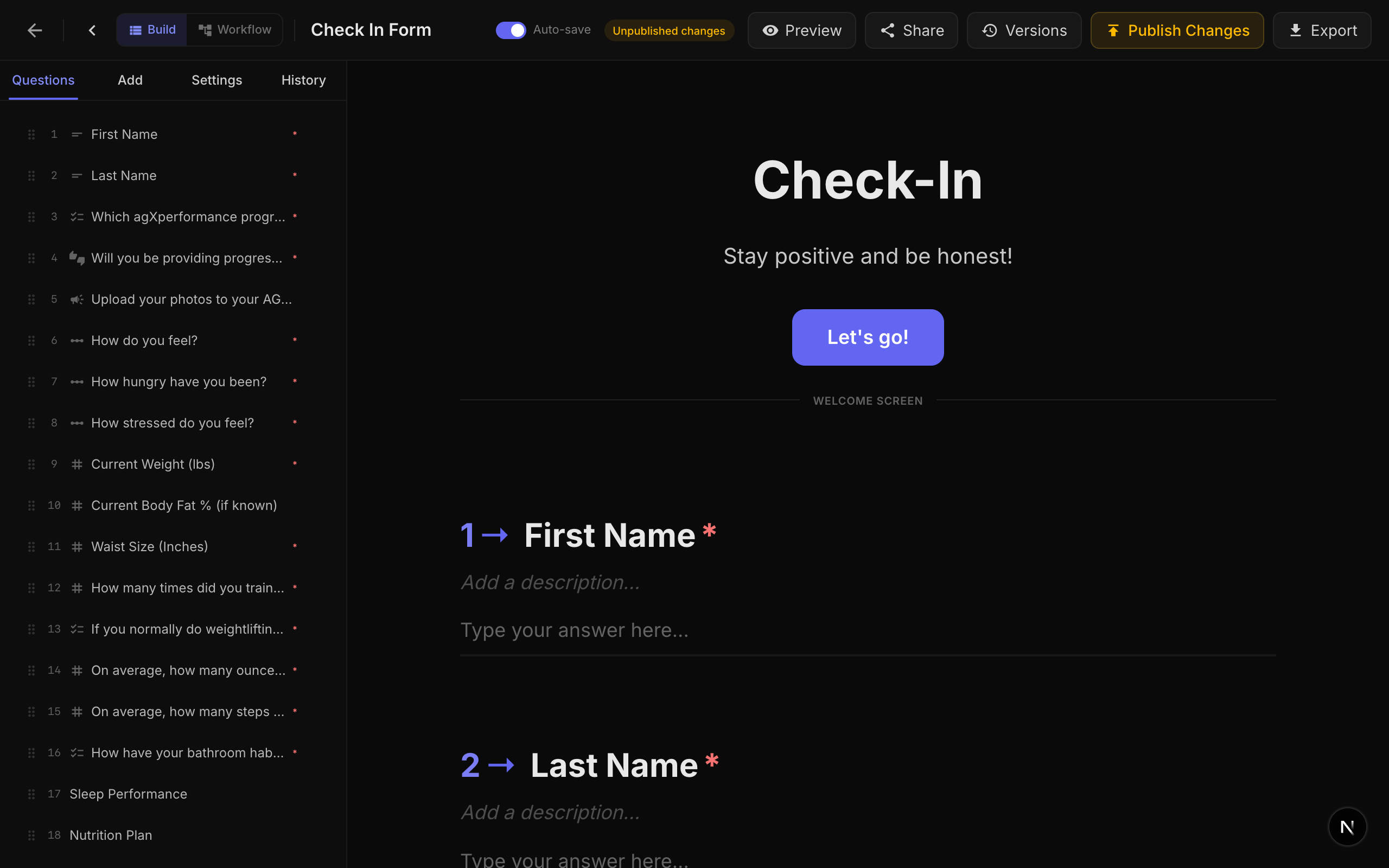
NueForm व्यापक theming capabilities प्रदान करता है जो आपको अपने forms को अपने brand से match करने देता है। Form के हर visual aspect को customize किया जा सकता है, colors और fonts से लेकर logos और custom CSS तक।
Theme Properties
Theme properties form level पर set होती हैं और form में हर question पर apply होती हैं। ये render time पर CSS custom properties (variables) में convert होती हैं, इसलिए सभी components स्वचालित रूप से adapt होते हैं।
Color Properties
| Property | CSS Variable | विवरण | Default |
|---|---|---|---|
| Background Color | --fc-bg | पूरे form का background color। | #0a0a0a |
| Text Color | --fc-text | Questions और content के लिए primary text color। | #e8e8e8 |
| Theme Color (Accent) | --fc-accent | Highlights, active states, और question numbers के लिए उपयोग होने वाला accent color। | #6366f1 |
| Answer Text Color | --fc-answer-text | Input fields में respondent द्वारा type किए गए text का color। | #e8e8e8 |
| Placeholder Color | --fc-placeholder | Input fields में placeholder text का color। | rgba(255,255,255,0.25) |
| Button Color | --fc-btn-bg | Primary buttons (OK, Start, Submit) का background color। Set न होने पर theme color पर fall back करता है। | #6366f1 |
| Button Text Color | --fc-btn-text | Primary buttons का text color। | #ffffff |
| Title Color | --fc-title-color | Question/activity titles का color। Text color पर fall back करता है। | Text color inherit करता है |
| Description Color | --fc-description-color | Question/activity descriptions का color। | Text color 55% opacity पर |
| Option Text Color | --fc-option-color | Choice option labels और activity content का color। | Text color inherit करता है |
| Indicator Background Color | --fc-indicator-bg | Fuse activities में activity indicators का background color। | Accent 15% opacity पर |
| Indicator Text Color | --fc-indicator-text | Activity indicators का text color। | Accent color |
Derived Color Variables
Theme system स्वचालित रूप से आपके base colors से विभिन्न component states में उपयोग के लिए अतिरिक्त CSS variables generate करता है:
| CSS Variable | विवरण |
|---|---|
--fc-accent-hover | Hover states के लिए lightened accent color। |
--fc-accent-8 से --fc-accent-60 | विभिन्न opacity levels पर accent color (8%, 10%, 15%, 20%, 30%, 40%, 60%)। |
--fc-text-2 से --fc-text-85 | विभिन्न opacity levels पर text color (2%, 4%, 5%, 6%, 8%, 10%, 12%, 15%, 20%, 40%, 55%, 75%, 80%, 85%)। |
--fc-input-bg | Input background (text color 5% opacity पर)। |
--fc-card-bg | Card background (text color 4% opacity पर)। |
--fc-border | Border color (text color 12% opacity पर)। |
--fc-muted | Muted/secondary text (text color 45% opacity पर)। |
--fc-primary | Primary color (accent का alias)। |
--fc-btn-bg-hover | Hover states के लिए lightened button background। |
Font Properties
NueForm स्वचालित रूप से Google Fonts से fonts load करता है। कोई भी Google Font family उपयोग की जा सकती है।
| Property | CSS Variable | विवरण | Default |
|---|---|---|---|
| Question Font | --fc-font-question | Question titles के लिए font family। | Inter |
| Answer Font | --fc-font-answer | Respondent input text के लिए font family। | Inter |
| Button Font | --fc-font-button | Button labels के लिए font family। | Inter |
| Description Font | --fc-font-description | Question/activity descriptions के लिए font family। | Question font inherit करता है |
| Option Font | --fc-font-option | Choice option labels और activity content के लिए font family। | Answer font inherit करता है |
| Indicator Font | --fc-font-indicator | Activity indicator text के लिए font family। | Question font inherit करता है |
| Question Font Size | --fc-font-size-question | Question titles के लिए font size। कोई भी CSS size value (rem, px, आदि) accept करता है। | 1.875rem (30px) |
Fonts demand पर Google Fonts से load होते हैं। System स्वचालित रूप से सही Google Fonts CSS import URL generate करता है, प्रत्येक font family के लिए weights 300 से 700 request करता है। Default font Inter pre-loaded है और Google Fonts request की आवश्यकता नहीं है।
Branding
Logo
आप दो positions में अपने forms में logo जोड़ सकते हैं:
Top Logo:
| Setting | विवरण | Default |
|---|---|---|
| Top Logo URL | Form के top पर display होने वाली logo image का URL। | None |
| Top Logo Size | Top logo का size: small, medium, या large। | medium |
| Top Logo Alignment | Horizontal alignment: left, center, या right। | center |
| Top Logo CSS | Top logo container (.fc-top-logo) पर apply होने वाला custom CSS। | None |
Branding Logo:
| Setting | विवरण | Default |
|---|---|---|
| Branding Logo URL | Branding logo का URL, आमतौर पर footer या watermark area में display होता है। | None |
Footer Text
| Setting | विवरण | Default |
|---|---|---|
| Branding Footer Text | Form footer area में display होने वाला custom text। | None |
Watermark CSS
| Setting | विवरण | Default |
|---|---|---|
| Watermark CSS | Watermark/bottom-left logo element (.fc-watermark) पर apply होने वाला custom CSS। | None |
Hide Branding (Pro+)
| Setting | विवरण | Default |
|---|---|---|
| Hide Branding | Form से NueForm branding हटाता है। Pro+ plan आवश्यक है। | Disabled |
NueForm branding छिपाना Pro+ feature है। Free और lower-tier plans पर, NueForm watermark हमेशा display होता है।
Branding Defaults
Account-level branding defaults आपको default theme values set करने देते हैं जो आपके बनाए सभी नए forms पर apply होते हैं। इन्हें form level पर override किया जा सकता है।
उपलब्ध branding defaults:
- Logo URL
- Footer Text
- Theme Color
- Background Color
- Text Color
- Answer Text Color
- Placeholder Color
- Button Color
- Button Text Color
- Font Family (Question)
- Font Family (Answer)
- Font Family (Button)
- Question Font Size
- Top Logo URL, Size, Alignment, और CSS
- Watermark CSS
Question-Level Transitions
प्रत्येक question का अपना transition animation हो सकता है, या आप सभी questions पर समान transition apply कर सकते हैं। उपलब्ध transitions:
| Transition | विवरण |
|---|---|
| Vertical Slide + Fade | Questions fade effect के साथ ऊपर/नीचे slide होते हैं। यह default है। |
| Horizontal Slide | Questions बाएं/दाएं slide होते हैं। |
| Diagonal Slide | Questions diagonally slide होते हैं। |
| Elastic Bounce | Questions elastic overshoot के साथ bounce in होते हैं। |
| Zoom Through | Questions viewport के through zoom in/out होते हैं। |
| Rotate In | Questions enter होते समय थोड़ा rotate होते हैं। |
आप question editor में individual questions के लिए transition set कर सकते हैं, या uniform transition set करने के लिए "Apply to all questions" option उपयोग कर सकते हैं।
Custom CSS
अपने form के appearance पर पूर्ण control के लिए, आप custom CSS लिख सकते हैं। उपलब्ध selectors और CSS variables की पूर्ण list के लिए Custom CSS guide देखें।
Per-Question Styling
Individual questions इन styling options को support करते हैं:
| Property | विवरण |
|---|---|
| Custom Class Name | Question container में CSS class जोड़ें। Specific questions को अलग style देने के लिए Custom CSS के साथ इसका उपयोग करें। |
| Hide Question Number | इस specific question से question number prefix हटाएं। |
| Media Custom Class Name | इस question से attached media element में CSS class जोड़ें। |
Light vs. Dark Backgrounds के लिए Theme
NueForm का default theme light text (#e8e8e8) के साथ dark background (#0a0a0a) उपयोग करता है। Derived CSS variables (borders, inputs, cards) सभी text color के relative compute होते हैं, इसलिए light theme पर switch करना straightforward है:
- Background Color को light color पर set करें (जैसे,
#ffffff)। - Text Color को dark color पर set करें (जैसे,
#1a1a1a)। - Derived variables (
--fc-border,--fc-input-bg,--fc-card-bg,--fc-muted) स्वचालित रूप से adapt होंगे क्योंकि ये text color की opacity variations पर based हैं।
Light और dark themes के बीच switch करते समय, readability और contrast बनाए रखने के लिए Placeholder Color, Answer Text Color, और Button Color भी adjust करना सुनिश्चित करें।