
Overview
Logic jumps let you create dynamic forms that adapt based on respondent answers. Instead of showing every question in order, you can skip questions, jump to different sections, or route respondents to specific end screens based on their responses.
How Logic Jumps Work
Each question can have one or more logic jumps attached to it. After a respondent answers a question, NueForm evaluates the logic jumps in order. The first jump whose condition evaluates to true determines where the respondent goes next. If no conditions match, the form advances to the next question in order.
Basic Flow
- Respondent answers a question.
- NueForm checks each logic jump on that question, in order.
- The first matching jump's destination determines the next question.
- If no jumps match, the respondent proceeds to the next question in sequence.
Conditions
Single Conditions (Legacy)
A simple condition consists of three parts:
- Field: Which question or variable to evaluate.
- Operator: How to compare the value.
- Value: The value to compare against (not needed for
is_answered/is_not_answered).
Compound Conditions
Compound conditions let you combine multiple rules with AND/OR logic:
- Combinator:
and(all rules must match) oror(any rule must match). - Rules: An array of individual condition rules.
Compound conditions take precedence over legacy single conditions if both are present on the same logic jump.
Operators
NueForm provides 10 condition operators. The available operators depend on the question type being evaluated.
All Operators
| Operator | Symbol | Description |
|---|---|---|
equals | = | The answer is exactly equal to the value. |
not_equals | != | The answer is not equal to the value. |
contains | Contains | The answer contains the value (text) or includes the value (array). |
not_contains | Not contains | The answer does not contain the value. |
greater_than | > | The numeric answer is greater than the value. |
less_than | < | The numeric answer is less than the value. |
greater_than_or_equals | >= | The numeric answer is greater than or equal to the value. |
less_than_or_equals | <= | The numeric answer is less than or equal to the value. |
is_answered | Answered | The question has been answered (any non-empty value). |
is_not_answered | Not answered | The question has not been answered. |
Operators by Question Type
| Question Type | Available Operators |
|---|---|
| Short Text, Long Text, Email, Phone, URL/Website | equals, not_equals, contains, not_contains, is_answered, is_not_answered |
| Number, Rating, Opinion Scale, NPS | equals, not_equals, greater_than, less_than, greater_than_or_equals, less_than_or_equals, is_answered, is_not_answered |
| Multiple Choice, Dropdown, Picture Choice, Ranking | equals, not_equals, is_answered, is_not_answered |
| Choix multiple, Menu déroulant, Classement avec choix depuis une variable | equals, not_equals, contains, not_contains, is_answered, is_not_answered |
| Matrice avec lignes ou colonnes depuis une variable | is_answered, is_not_answered |
| Yes/No, Legal | equals, not_equals, is_answered, is_not_answered |
| Date | equals, not_equals, is_answered, is_not_answered |
| URL Variables | All operators (equals, not_equals, contains, not_contains, greater_than, less_than, greater_than_or_equals, less_than_or_equals, is_answered, is_not_answered) |
| All other types | equals, not_equals, is_answered, is_not_answered |
Type Coercion
NueForm handles type mismatches automatically:
- String
"3"equals number3when using theequalsoperator. - Boolean
truematches string"true". - For
containswith array answers (multi-select), it checks if any selected item matches. - For
equalswith array answers, it checks if the value is among the selected items.
Conditions sur les choix depuis une variable
Une question qui charge ses options depuis une variable n'a pas d'options fixes à choisir dans l'éditeur de conditions. Ses conditions utilisent les opérateurs de texte — equals, not_equals, contains, not_contains, is_answered, is_not_answered — et vous saisissez la valeur de l'élément, pas son libellé. equals et not_equals comparent la valeur exactement, majuscules comprises ; l'indication du champ dit « Correspond exactement à la valeur de l'élément. » Pour une réponse à sélection multiple ou un classement, equals et contains vérifient si la valeur fait partie des éléments sélectionnés. Une Matrice fait exception : sa réponse associe chaque ligne à une colonne au lieu de contenir une seule valeur, si bien qu'une valeur saisie ne pourrait jamais lui correspondre. Pour une Matrice dont les lignes ou les colonnes viennent d'une variable, l'éditeur de conditions ne propose donc que is_answered et is_not_answered.
Il en va de même pour les conditions de visibilité des formulaires de style Questionnaire.
Destinations
Each logic jump specifies a destination -- where the respondent should go when the condition matches.
| Destination | Description |
|---|---|
| Question ID | Jump to a specific question by its ID. The question can be anywhere in the form, including earlier questions (creating loops). |
end | Skip directly to the end of the form (thank-you screen or submission). |
Si la destination n'est pas active — parce qu'elle est désactivée ou indisponible sur le canal du répondant (par exemple, Appels entrants désactivé dans Disponibilité du noeud) — le formulaire reprend à la première question qui la suit ; si rien ne suit, le formulaire se termine comme avec end. Un saut vers une question située dans un groupe désactivé reprend après le groupe. Les formulaires web et les appels téléphoniques suivent la même règle.
Variable Actions
Logic jumps can include variable actions that modify form variables when the jump's condition matches. This lets you build calculators, scoring systems, and dynamic content without quiz mode.
Action Types
| Action | Description |
|---|---|
set | Set the variable to a specific value. |
add | Add a numeric value to the variable. |
subtract | Subtract a numeric value from the variable. |
How Variable Actions Work
- A logic jump condition evaluates to
true. - Before navigating to the destination, NueForm executes all variable actions on that jump.
- The variable values are updated in the form's variable state.
- Subsequent questions can reference these variables using
{variableName}syntax.
Example: Accumulating a score
Question: "How satisfied are you?" (Rating 1-5)
Logic Jump 1: Rating >= 4 -> Next question, Action: add 10 to "score"
Logic Jump 2: Rating >= 2 -> Next question, Action: add 5 to "score"
Logic Jump 3: (default) -> Next question, Action: add 0 to "score"
See the Variables guide for more on defining and using variables.
Labels
Each logic jump can have an optional label for documentation purposes. Labels appear in the visual workflow editor to help you understand the logic flow at a glance.
Start Logic Jumps
Start logic jumps are evaluated before the respondent sees any questions. They run immediately when the form loads and can use URL variables to determine the starting question.
Use Cases
- Route respondents to different sections based on URL parameters (e.g.,
?department=salesskips to the sales-specific questions). - Pre-set variables based on URL parameters before the form begins.
- Skip the welcome screen for certain audiences.
Configuration
Start logic jumps are configured at the form level (not on individual questions). They follow the same condition/destination/action structure as question-level logic jumps, but their condition fields can only reference URL variables (prefixed with url:).
Example: Routing by department
Start Logic Jump:
  Condition: url:department equals "sales"
  Destination: question_sales_intro
  Actions: set "department" to "Sales"
URL Variable Conditions
In both question-level and start logic jumps, you can reference URL parameters as condition fields. URL variable fields are prefixed with url::
- Field:
url:firstNameevaluates the URL parameter?firstName=... - Field:
url:sourceevaluates the URL parameter?source=...
URL variable lookups support case-insensitive fallback. If the exact key is not found, NueForm will try a case-insensitive match.
Workflow Editor
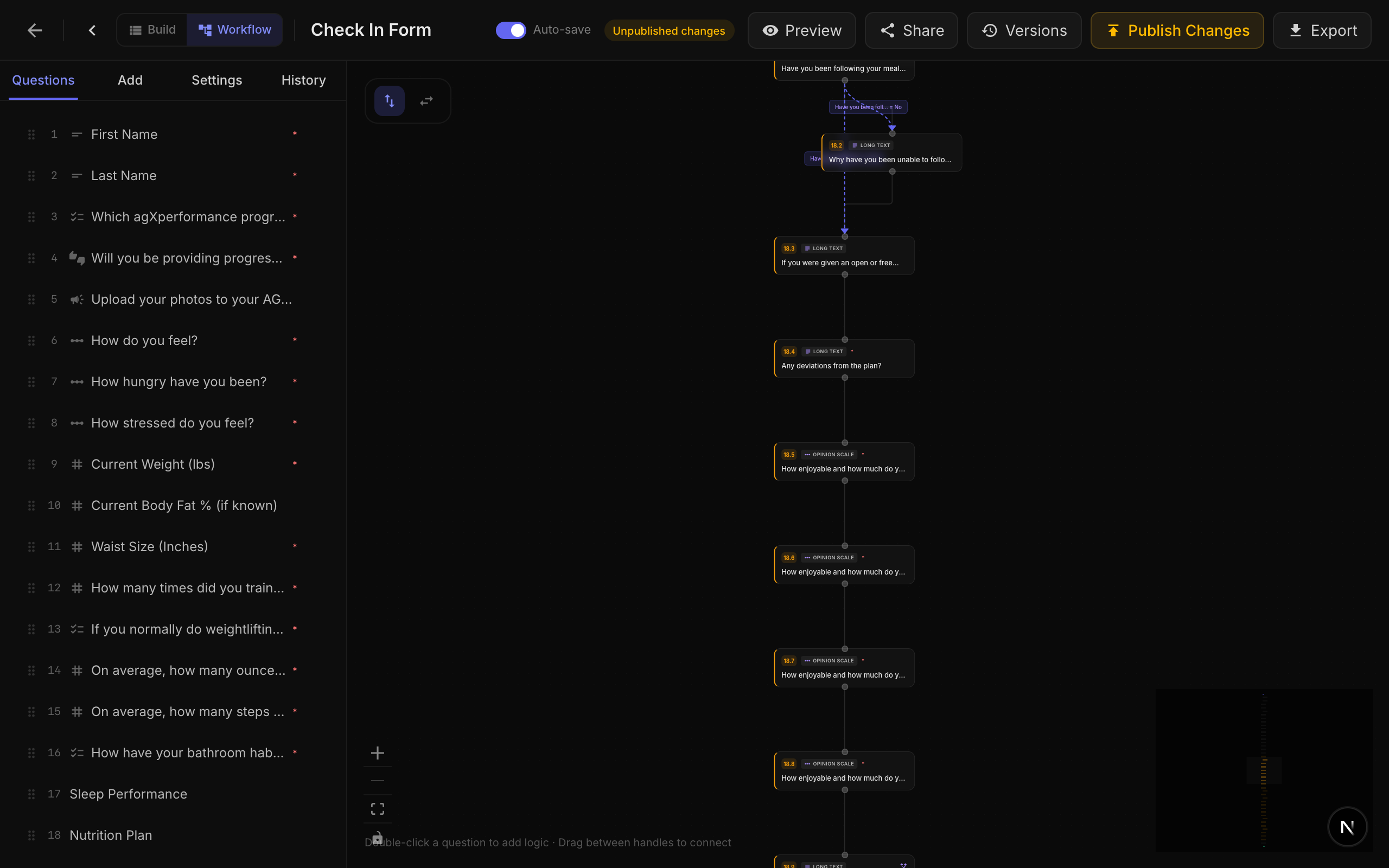
NueForm includes a visual Workflow Editor that displays your form's logic as a flowchart. Each question is a node, and logic jumps are displayed as edges connecting the nodes. The workflow editor shows:
- All questions as nodes in their sequential order.
- Logic jump connections as arrows between nodes.
- Condition summaries on each edge (e.g., "Rating > 3").
- Destination labels (question title or "End").
The workflow editor is a visual representation of your logic jumps. You can add, edit, and remove logic jumps directly from the editor or from the question's settings panel.
Logic Jump Evaluation in Groups
When a question is inside a Question Group, logic jumps on sub-questions work slightly differently:
- If the destination is another sub-question within the same group, the navigation happens internally within the group.
- If the destination is a question outside the group, the group exits and the form navigates to the destination question at the top level.
- If the destination is
end, the form skips to submission.
Meilleures pratiques
- Order matters: Logic jumps are evaluated top-to-bottom. Put more specific conditions before more general ones.
- Always have a fallback: If none of your conditions match, the form advances to the next question. Consider adding a catch-all jump at the end if you want explicit control.
- Test thoroughly: Use the preview function to test different answer paths through your form.
- Use labels: Give your logic jumps descriptive labels so the workflow editor is easy to understand.
- Keep it simple: Complex nested logic can be confusing. Consider using Question Groups to organize related questions with their own internal logic.