
Rating
1 से N की scale पर clickable shape icons का उपयोग करके feedback collect करें। Respondent अपनी rating set करने के लिए shape पर click या tap करता है।

Type identifier: rating
Properties
| Property | Type | विवरण | Default |
|---|---|---|---|
steps | number | Display होने वाले rating shapes की संख्या (max के माध्यम से भी settable)। | 5 |
max | number | steps का alternative -- maximum rating value। दोनों set होने पर steps precedence लेता है। | 5 |
shape | string | Rating icons का shape। Options: star, heart, thumb, crown, lightning। | star |
Shape Options
| Shape | Icon | विवरण |
|---|---|---|
star | Star | Classic 5-star rating। |
heart | Heart | Preference/love ratings के लिए heart-shaped icons। |
thumb | Thumbs Up | Approval ratings के लिए thumbs-up icons। |
crown | Crown | Premium/royalty ratings के लिए crown icons। |
lightning | Lightning Bolt | Energy/excitement ratings के लिए lightning bolt icons। |
Interaction
- Respondent rating select करने के लिए shape पर click या tap करता है।
- Shape पर hover करने पर selection preview होता है (hovered shape तक और उसे include करके सभी shapes highlight होते हैं)।
- Shape click करने पर अगले question पर auto-advance होता है।
Validation
यदि required true है, respondent को rating select करनी होगी।
Logic Jump Operators
equals, not_equals, greater_than, less_than, greater_than_or_equals, less_than_or_equals, is_answered, is_not_answered
Answer Format
Answer एक number (selected rating value, 1 से N) या unanswered होने पर null के रूप में store होता है।
Quiz Mode Scoring
Rating एक scorable question type है:
- Knowledge Quiz:
correctAnswersको expected rating value string के रूप में set करें (जैसे,["4"])। - Lead Qualification:
choiceScoresको rating values को keys के रूप में set करें (जैसे,{ "1": 0, "2": 5, "3": 10, "4": 15, "5": 20 })। - Match Quiz:
choiceOutcomesको rating values से end screen IDs में mapping set करें।
Rating shapes theme system के माध्यम से पूरी तरह styled हैं। आप .fc-rating-icon CSS selector का उपयोग करके उनकी appearance customize कर सकते हैं।
Opinion Scale
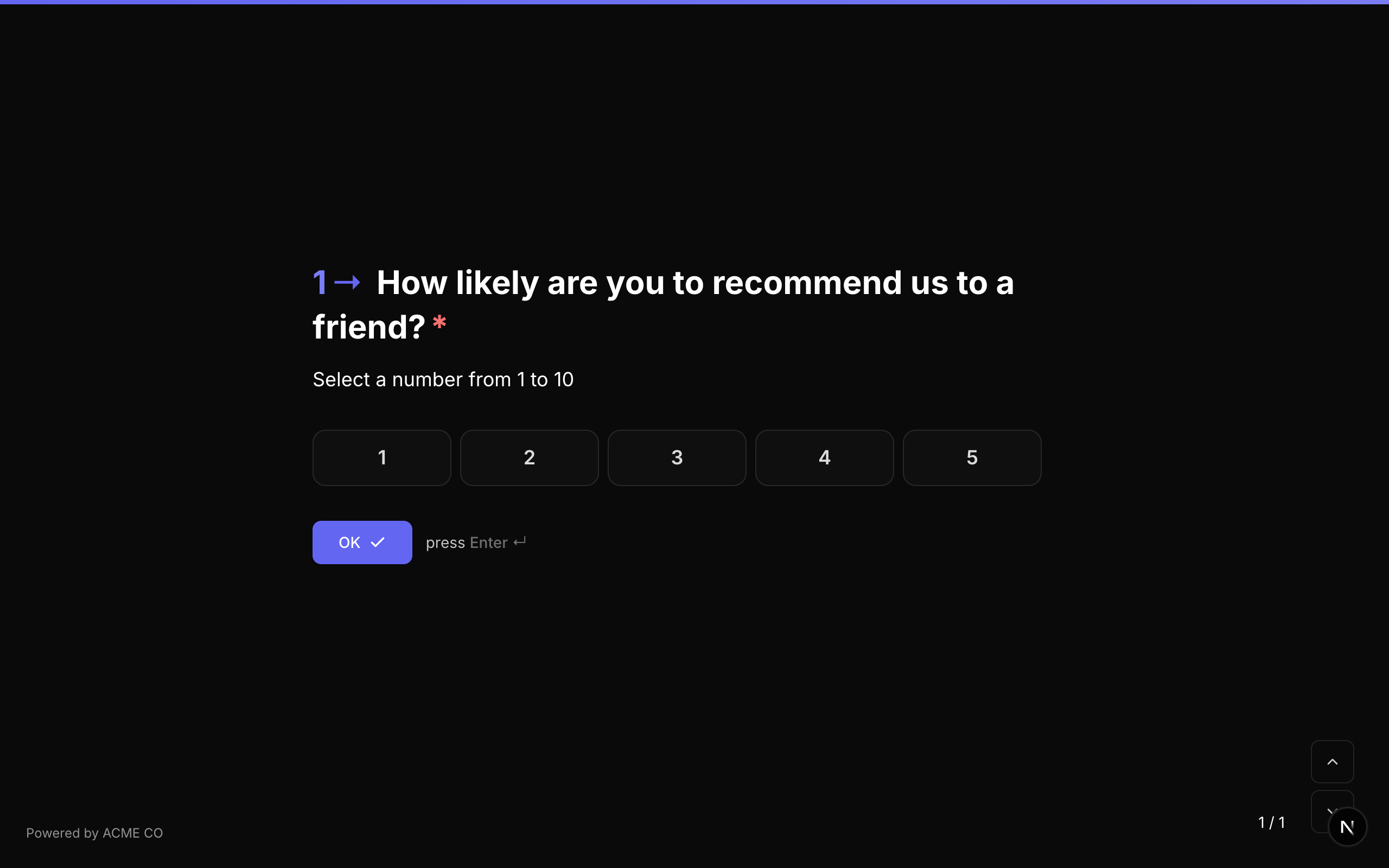
एक numeric scale जहां respondents configurable range के भीतर value select करते हैं। Left, center, और right positions पर optional labels scale के प्रत्येक end का meaning convey करने में मदद करते हैं।
Type identifier: opinion_scale
Properties
| Property | Type | विवरण | Default |
|---|---|---|---|
min | number | Scale पर minimum value। | 1 |
max | number | Scale पर maximum value। | 5 |
labels | object | Scale के edges और center पर display होने वाले optional labels। | None |
labels.left | string | Scale के minimum end के लिए label (जैसे, "Not at all likely")। | None |
labels.center | string | Scale के center के लिए label (जैसे, "Neutral")। | None |
labels.right | string | Scale के maximum end के लिए label (जैसे, "Extremely likely")। | None |
Common Scale Ranges
| Range | Use Case |
|---|---|
| 1-5 | General satisfaction, agreement scales |
| 1-7 | Likert scale |
| 1-10 | Detailed feedback, likelihood assessments |
| 0-10 | NPS-style (हालांकि NPS के लिए dedicated NPS type preferred है) |
Interaction
- Scale numbered buttons की row के रूप में display होती है।
- Respondent अपनी rating select करने के लिए number click करता है।
- Selected number accent color के साथ highlight होता है।
Validation
यदि required true है, respondent को एक value select करनी होगी।
Logic Jump Operators
equals, not_equals, greater_than, less_than, greater_than_or_equals, less_than_or_equals, is_answered, is_not_answered
Answer Format
Answer एक number (selected scale value) या unanswered होने पर null के रूप में store होता है।
Quiz Mode Scoring
Opinion Scale एक scorable question type है:
- Knowledge Quiz:
correctAnswersको expected value के साथ set करें। - Lead Qualification:
choiceScoresको प्रत्येक scale value से points में mapping set करें। - Match Quiz:
choiceOutcomesको scale values से end screen IDs में mapping set करें।
Scale items को .fc-scale-item CSS selector से styled किया जा सकता है। Labels scale width के आधार पर स्वचालित रूप से positioned होते हैं।
Net Promoter Score (NPS)
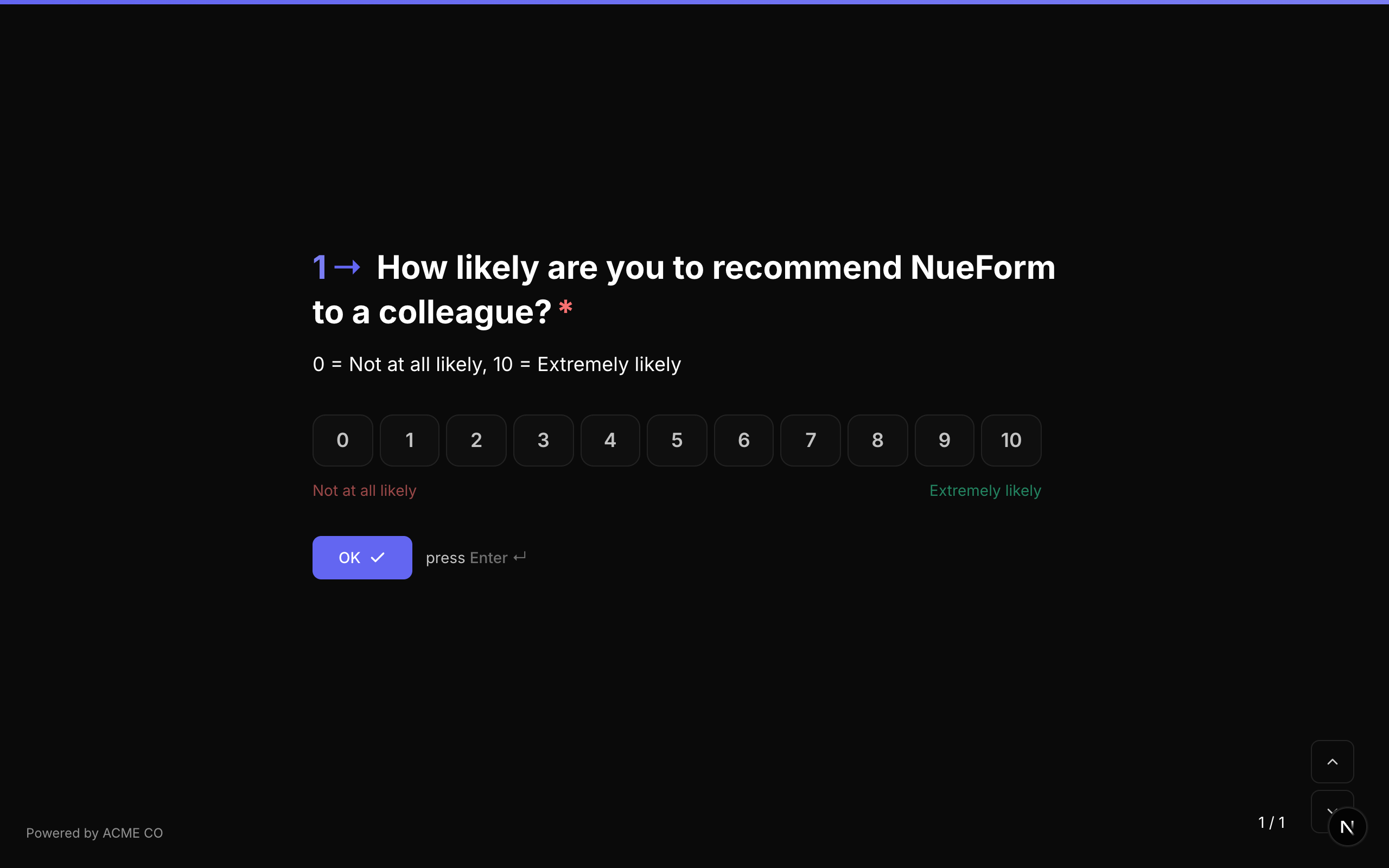
Standard Net Promoter Score question, हमेशा 0-10 scale उपयोग करता है। Customer loyalty और satisfaction measure करने के लिए उपयोग होता है।
Type identifier: nps
Properties
| Property | Type | विवरण | Default |
|---|---|---|---|
labels | object | Scale के लिए optional labels। | None |
labels.left | string | Scale के 0 end के लिए label (जैसे, "Not at all likely")। | None |
labels.center | string | Scale के center के लिए label। | None |
labels.right | string | Scale के 10 end के लिए label (जैसे, "Extremely likely")। | None |
Fixed Scale
NPS question type हमेशा 0-10 scale उपयोग करता है। min और max values fixed हैं और बदली नहीं जा सकतीं। यह standard NPS methodology के अनुरूप है।
NPS Score Categories
NPS responses निम्नानुसार categorize होते हैं:
| Score | Category | विवरण |
|---|---|---|
| 0-6 | Detractors | असंतुष्ट customers जो दूसरों को discourage कर सकते हैं। |
| 7-8 | Passives | संतुष्ट लेकिन unenthusiastic customers। |
| 9-10 | Promoters | वफादार enthusiasts जो दूसरों को refer करेंगे। |
आपके form का NPS score इस प्रकार calculate होता है: % Promoters - % Detractors।
Interaction
- 11 numbered buttons (0 से 10) की row के रूप में display होता है।
- Respondent अपना score select करने के लिए number click करता है।
- Selected number highlight होता है।
Validation
यदि required true है, respondent को score select करना होगा।
Logic Jump Operators
equals, not_equals, greater_than, less_than, greater_than_or_equals, less_than_or_equals, is_answered, is_not_answered
Answer Format
Answer एक number (0-10) या unanswered होने पर null के रूप में store होता है।
NPS items को .fc-scale-item CSS selector से styled किया जा सकता है, opinion scale items के समान।