
File Upload
Respondents को अपने device से files upload करने की अनुमति दें। Configurable file type restrictions और size limits support करता है।
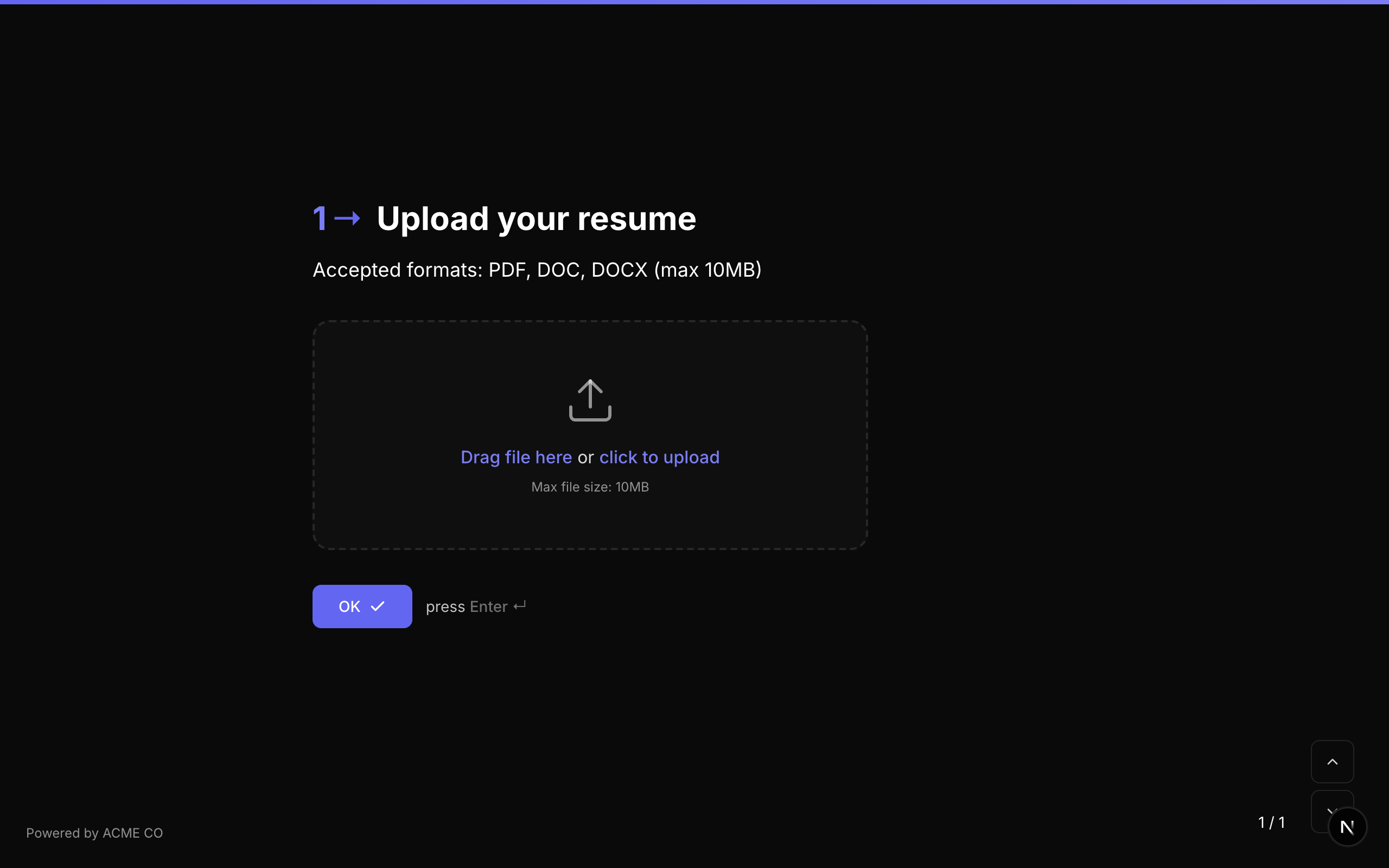
Type identifier: file_upload
Properties
| Property | Type | विवरण | Default |
|---|---|---|---|
choices | Choice[] | File uploads के लिए उपयोग होने पर, प्रत्येक choice का label field एक allowed MIME type या file extension specify करता है (जैसे, "application/pdf", "image/*")। खाली होने पर, सभी file types accept होते हैं। | [] (all types) |
max | number | Megabytes (MB) में maximum file size। | None (platform limit applies) |
File Storage
Uploaded files Vercel Blob storage में store होती हैं। प्रत्येक upload record में शामिल है:
| Field | विवरण |
|---|---|
blobUrl | File के लिए Vercel Blob storage URL। |
originalName | User का original filename (जैसे, resume.pdf)। |
uuidName | Blob में stored UUID-based name (जैसे, a1b2c3d4.pdf)। |
size | Bytes में file size। |
contentType | MIME type (जैसे, application/pdf, image/png)। |
Storage Tracking
प्रत्येक user का total file storage consumption bytes में track होता है (User model पर storageUsedBytes)। Storage limits plan tier के अनुसार vary करते हैं।
Validation
यदि required true है, respondent को आगे बढ़ने से पहले file upload करनी होगी।
Logic Jump Operators
equals, not_equals, is_answered, is_not_answered
Answer Format
Answer एक FileUploadValue object के रूप में store होता है:
{
  "fileId": "abc123",
  "originalName": "resume.pdf",
  "size": 245760,
  "contentType": "application/pdf",
  "downloadUrl": "/api/files/resume.pdf?id=abc123"
}
File uploads form की ID और optionally user की ID से attributed होते हैं। Respondent uploads (anonymous) में userId null set होता है, जबकि builder media uploads (questions के लिए images) में user की ID set होती है।
Drawing
एक freehand drawing canvas जहां respondents artwork, diagrams, या annotations sketch कर सकते हैं।
Type identifier: drawing
Properties
| Property | Type | विवरण | Default |
|---|---|---|---|
canvasSize | string | Drawing canvas का size। Options: small, medium, large। | medium |
Canvas Sizes
| Size | विवरण |
|---|---|
small | Simple sketches या icons के लिए उपयुक्त compact canvas। |
medium | Diagrams और illustrations के लिए standard canvas। |
large | Detailed drawings के लिए expanded canvas। |
Interaction
- Drawing canvas mouse या touch input के साथ freehand drawing support करता है।
- Respondents draw, erase, और अपना काम undo कर सकते हैं।
- Final drawing image file के रूप में export होती है।
Validation
यदि required true है, respondent को आगे बढ़ने से पहले drawing बनानी होगी।
Logic Jump Operators
equals, not_equals, is_answered, is_not_answered
Answer Format
Answer एक FileUploadValue object (drawing image file के रूप में save होती है) के रूप में store होता है:
{
  "fileId": "def456",
  "originalName": "drawing.png",
  "size": 102400,
  "contentType": "image/png",
  "downloadUrl": "/api/files/drawing.png?id=def456"
}
Drawing question अलग "OK" button display नहीं करता। Respondents अपनी drawing form के standard navigation controls का उपयोग करके submit करते हैं।
Video/Audio Recording
Respondent के browser के माध्यम से सीधे उनके device के camera और microphone का उपयोग करके video या audio responses capture करें।
Type identifier: recording
Properties
| Property | Type | विवरण | Default |
|---|---|---|---|
recordingMode | string | Recording का type। Options: video, audio। | video |
maxDuration | number | Seconds में maximum recording duration। | 120 (2 minutes) |
Recording Modes
| Mode | विवरण |
|---|---|
video | Device के camera और microphone का उपयोग करके video और audio दोनों record करता है। |
audio | Device के microphone का उपयोग करके केवल audio record करता है। Camera की आवश्यकता नहीं। |
Interaction
- Respondent "Start Recording" button click करता है।
- Browser camera/microphone permissions request करता है (यदि पहले से granted नहीं)।
- Recording के दौरान live preview दिखाई देता है।
- Respondent finish करने के लिए "Stop Recording" click करता है।
- Recording का preview दिखाया जाता है।
- Respondent re-record कर सकता है या आगे बढ़ सकता है।
Browser Requirements
- MediaRecorder API support के साथ modern browser आवश्यक है।
- Respondent को camera और/या microphone permissions grant करनी होंगी।
- Media capture के लिए HTTPS आवश्यक है (सभी NueForm URLs default रूप से HTTPS हैं)।
Validation
यदि required true है, respondent को आगे बढ़ने से पहले recording complete करनी होगी।
Logic Jump Operators
equals, not_equals, is_answered, is_not_answered
Answer Format
Answer एक FileUploadValue object के रूप में store होता है:
{
  "fileId": "ghi789",
  "originalName": "recording.webm",
  "size": 524288,
  "contentType": "video/webm",
  "downloadUrl": "/api/files/recording.webm?id=ghi789"
}
Video recordings large files produce कर सकती हैं। File sizes manageable रखने के लिए reasonable maxDuration set करने पर विचार करें। Standard quality पर 2-minute video recording typically 5-15 MB की file produce करती है।
Signature
एक digital signature pad जहां respondents mouse, stylus, या finger उपयोग करके अपना signature draw कर सकते हैं।
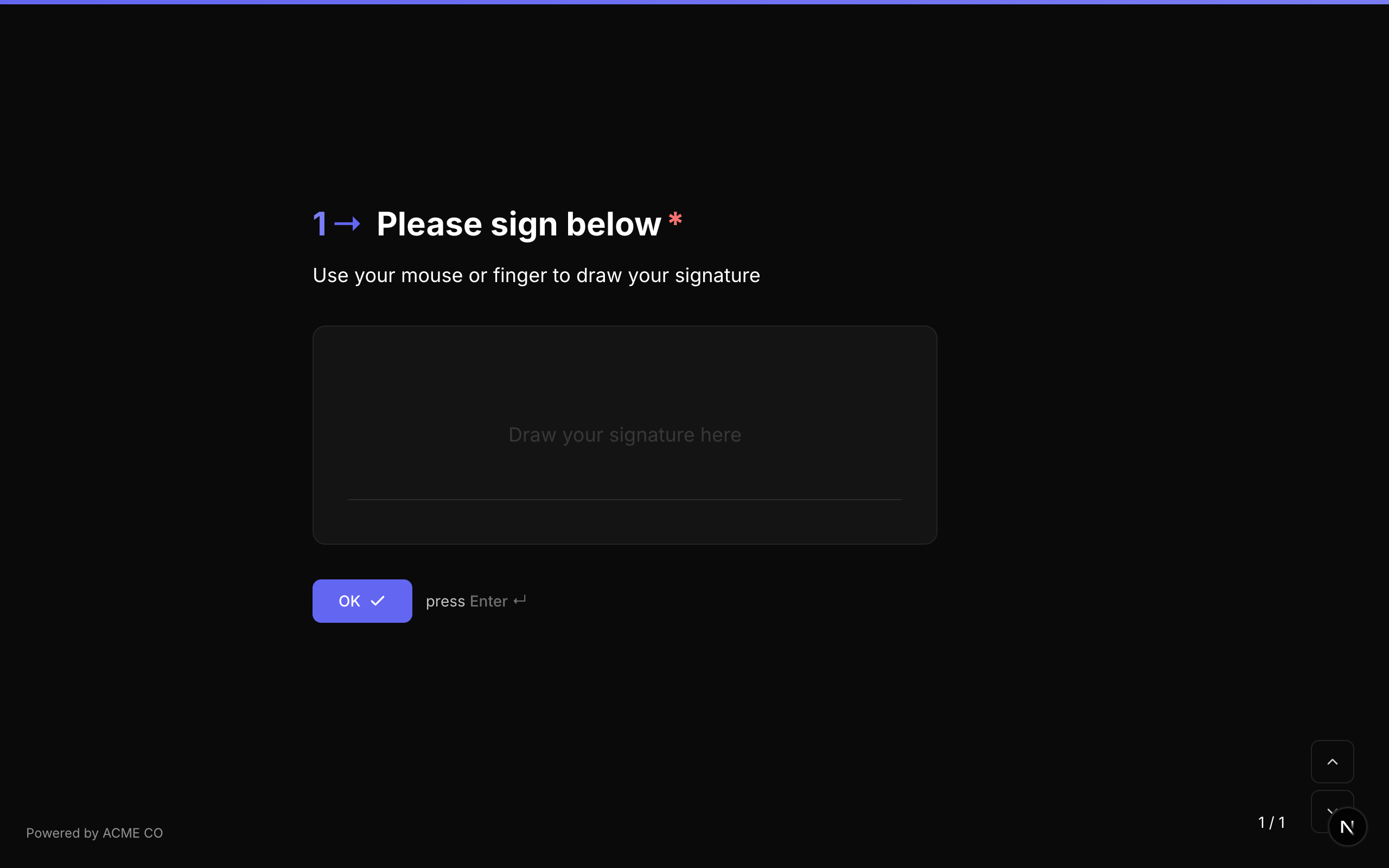
Type identifier: signature
Properties
Signature question type में common question properties के अलावा कोई अतिरिक्त properties नहीं हैं।
Interaction
- Clear canvas के साथ signature pad display होता है।
- Respondent mouse, stylus, या touch input उपयोग करके अपना signature draw करता है।
- दोबारा शुरू करने के लिए "Clear" button उपलब्ध है।
- Signature vector path या image के रूप में capture होता है।
Validation
यदि required true है, respondent को आगे बढ़ने से पहले signature draw करना होगा।
Logic Jump Operators
equals, not_equals, is_answered, is_not_answered
Answer Format
Answer एक string (typically signature की data URL या base64-encoded image) के रूप में store होता है।
Drawings और recordings की तुलना में signatures lightweight हैं। ये typically SVG paths या small PNG images के रूप में store होते हैं, जिसके परिणामस्वरूप files 100 KB से काफी कम होती हैं।
Media Questions पर Media Attachments
अन्य सभी question types की तरह, media capture questions भी media attachments (images, videos, icons, QR codes) support करते हैं। इससे आप capture interface के साथ example या instruction display कर सकते हैं। उदाहरण के लिए, आप Signature question पर media के रूप में example signature image दिखा सकते हैं, या File Upload question पर QR code दिखा सकते हैं जो companion mobile upload page से link करता है।
Media options और layout configurations के details के लिए Creating Forms guide देखें।